
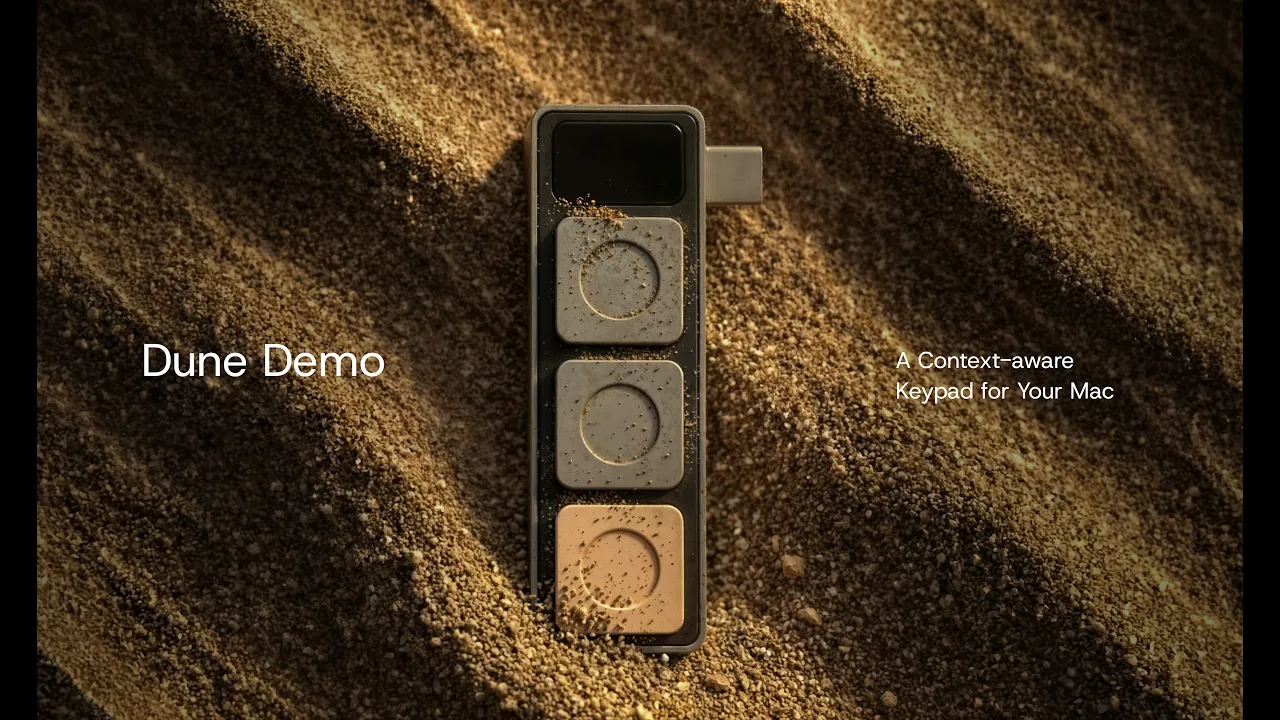

Features of Dune
Context-aware keypad for macOS, automating dev workflows, simplifying online meetings, and more
01
01. Join your next call without touching your trackpad.
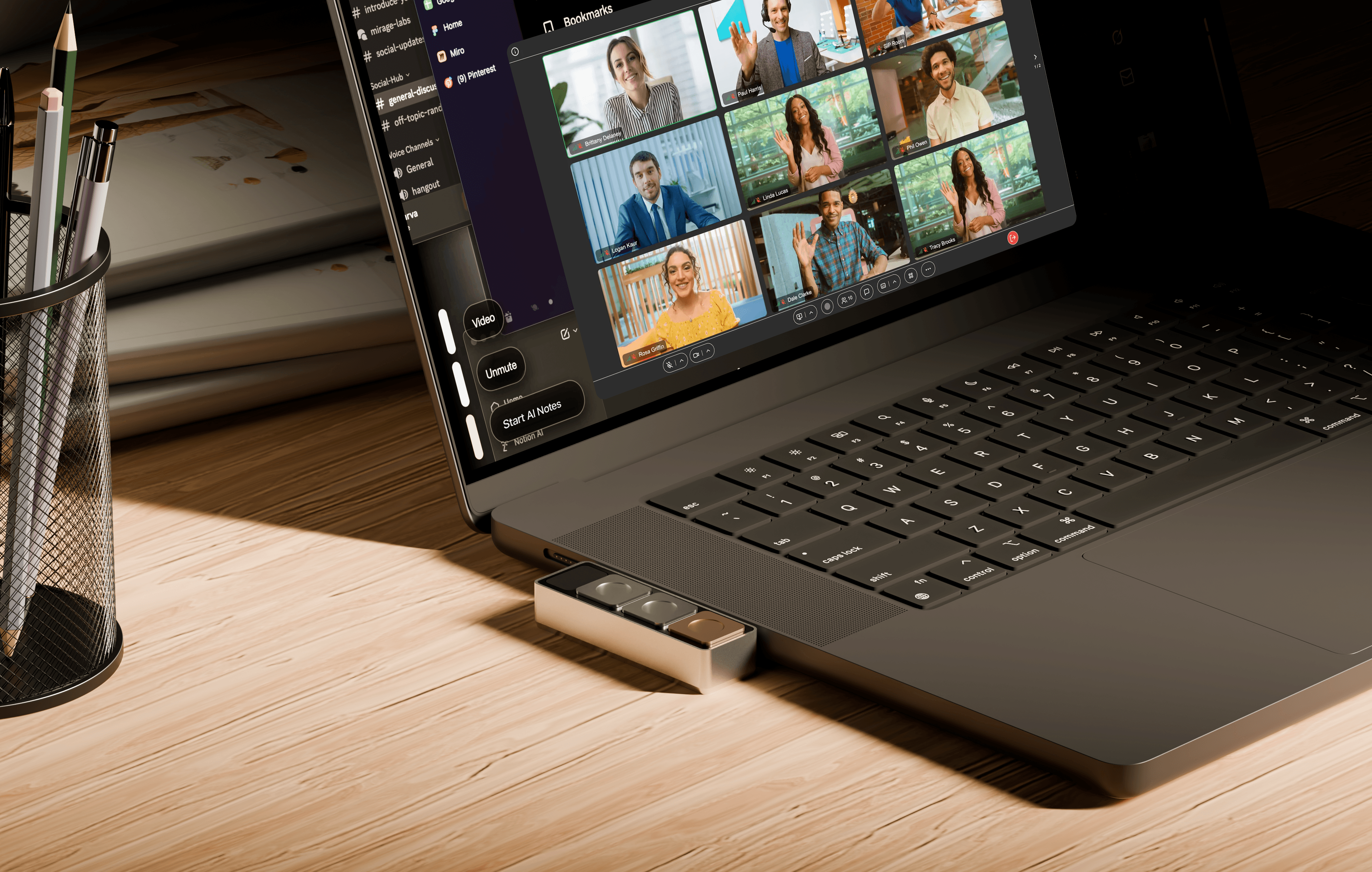
Dune syncs with your calendar and surfaces your meeting link two minutes before every call. One key joins directly. Another sends a running late email to attendees, without you needing to ever move your cursor.
02
02. Physical mic/camera toggles and one click unmute to instantly snap your meeting window to the front.
In any meeting, Key 1 becomes your mic toggle and Key 2 your camera. No more squinting at the screen to find the unmute button. One key press also brings your active meeting window to the front, however deep you are in your tabs.
03
03. Trigger Granola, your meeting assistants, or your custom agents.
All three keys are fully configurable. Surface notes from previous conversations, send personalized follow-ups the moment a call ends, or trigger anything else you need.
That is how Dune works out of the box. Configure it to fit however you work.
01
GitHub, VS Code, Claude, without breaking flow.
Dune detects which dev tool you're in and maps its three keys to the actions you reach for most.
02
Custom agents, one tap away.
Dune + Openclaw lets you invoke agents you've built, such as an Email Assistant that sorts your inbox and drafts responses early in the day. Openclaw use cases are for reference and are not pre-installed in Dune.
03
AI-powered context awareness, updating in real time.
Dune detects the app you’re working in and updates its key functions accordingly, with no manual setup needed. Instantly see what each key does on your Mac screen and execute relevant commands without breaking focus.
01
Customizable Macros
Trigger any shortcut sequence with a single tap. We have enabled the most-used shortcuts for Notion, Figma, and Excel by default.
02
URL
Open any link the moment you need it.
03
Script
Run custom scripts to automate the workflows you do every day. If you can write it, Dune can run it.
The Dune Marketplace - scripts by you, for you
Browse the Dune Marketplace, a place where the community shares what they have built.
01
Find and install
Find scripts that fit how you work, install them in seconds, and assign them to your keys across any app.
02
New workflows every week
Every week, new workflows built by people who use Dune every day, available for you to make your own.
Speak to Claude - configure and customize, go nuts (until your usage runs out!)
Set up and customize your entire Dune experience through a conversation with Claude.
01
Build with Claude
Ask it to change a script, add a new shortcut, walk you through your current setup, or suggest smarter ways to use your three keys.
02
No configuration needed
No manual configuration, no settings to dig through. Just tell Claude what you want.

NEW UPDATE
NEW UPDATE
The Mirage Lifted!
The Mirage Lifted!
Project Mirage is now Aina. What began with Dune has grown into something much larger.
Project Mirage is now Aina. What began with Dune has grown into something much larger.
Scroll to explore
As featured on
As featured on
As featured on


Features of Dune
Context-aware keypad for macOS, automating dev workflows, simplifying online meetings, and more
01
Join your next call without touching your trackpad.
Dune syncs with your calendar and surfaces your meeting link two minutes before every call. One key joins directly. Another sends a running late email to attendees, without you needing to ever move your cursor.
02
Physical mic/camera toggles and one click unmute to instantly snap your meeting window to the front.
In any meeting, Key 1 becomes your mic toggle and Key 2 your camera. No more squinting at the screen to find the unmute button. One key press also brings your active meeting window to the front, however deep you are in your tabs.
03
Trigger Granola, your meeting assistants, or your custom agents.
All three keys are fully configurable. Surface notes from previous conversations, send personalized follow-ups the moment a call ends, or trigger anything else you need.
That is how Dune works out of the box. Configure it to fit however you work.
Specifications
Specifications
Material
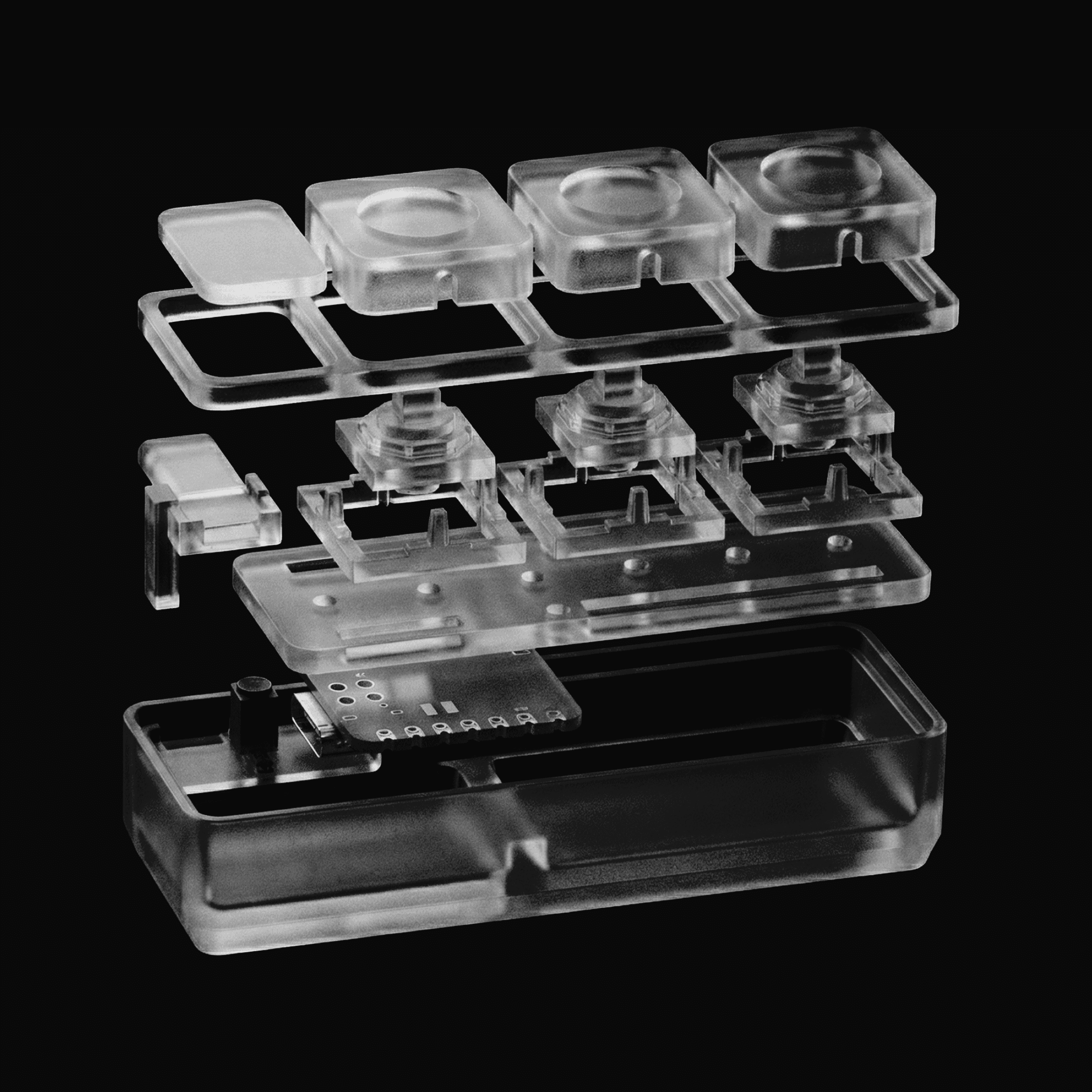
CNC‑machined anodized aluminum
Compatibility
macOS only
Connectivity
USB-C
Dimensions
40mm × 10mm × 10mm
Weight
50g
Power
USB‑C powered (no battery required)
Material
CNC‑machined anodized aluminum
Compatibility
macOS only
Connectivity
USB-C
Dimensions
40mm × 10mm × 10mm
Weight
50g
Power
USB‑C powered (no battery required)
Dune is just the beginning
Dune is just the beginning
Whether Dune is already on your desk or still on your radar, we would love to have you close as we continue to experiment and build in interfaces.
Meet Dune
See how Dune works
See how Dune works
FAQs
These are the most commonly asked questions about Dune.
These are the most commonly asked questions about Dune.
Does Dune auto change what it does?
Is Dune programmable, and where does it connect?
Which Macs are compatible with Dune, and what macOS version is required?
Which apps does Dune work with, and do I need to configure anything?
When will Dune ship, and what is your returns policy?
Can I cancel my order?
Does Dune auto change what it does?
Is Dune programmable, and where does it connect?
Which Macs are compatible with Dune, and what macOS version is required?
Which apps does Dune work with, and do I need to configure anything?
When will Dune ship, and what is your returns policy?
Can I cancel my order?